
Photovoltaic solar panel PNI PSF6020A power 60W with 20A battery included, 12V output, for surveillance cameras

 Monthly payment from €6.57
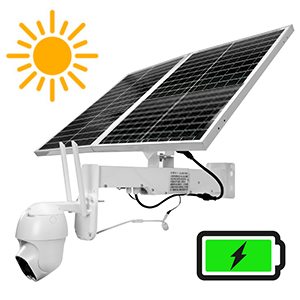
| Rechargeable battery and solar panelThe PNI PSF6020 60W photovoltaic solar panel with 20A battery can be installed in any location, even in isolated places where a stable power source is lacking. The built-in 20A battery ensures the operation of a surveillance camera* for up to 60 hours. The monocrystalline solar panel with a maximum power of 60W quickly charges the battery. The battery charge level is indicated by the central LED on the metal mounting bracket. When the battery is charged below 25%, the LED turns red and flashes. When the battery is fully charged, the LED turns green and remains constantly lit. The solar panel should be installed in an area that ensures the best possible exposure to the sun, oriented towards S or SW. * surveillance camera not included |
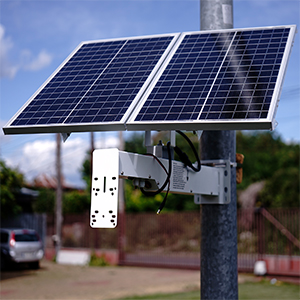
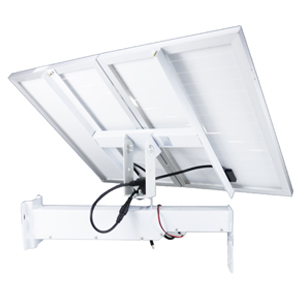
Versatile pole or wall mountingThe solar panel is equipped with a versatile and multifunctional mounting bracket with accessories for wall mounting or for mounting on a high pole. The support for the surveillance camera is also multifunctional, having several types of mounting for as many surveillance camera models as possible. | |
| Adjustable angle and directionFor optimal operation and for the most efficient capture of solar radiation, correct adjustment of the panel angle and direction according to the cardinal points is necessary. |
Video presentation |
|
PNi PSF6020A |
| Characteristics |
|
||||||||||||||||||||||||||||||||||
|---|---|---|---|---|---|---|---|---|---|---|---|---|---|---|---|---|---|---|---|---|---|---|---|---|---|---|---|---|---|---|---|---|---|---|---|