
PNI SmartHome SM7RGBW LED light bulb 7W adjustable RGBW light, programmable WiFi, internet control, Tuya Smart App, Amazon Alexa compatible and Google Home

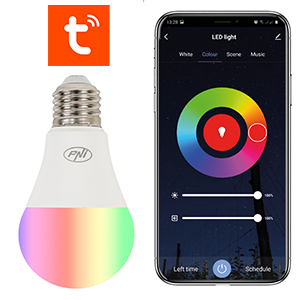
| Smart and convenientThe PNI SmartHome SM7RGBW smart LED bulb is compatible with Alexa Echo, Echo dot and Google Home Assistant. With just a simple voice command you can turn the light on or off, adjust the intensity or color of the light (for example: "Alexa, set the bedroom light to Blue"). Or install the Tuya Smart application on your mobile phone, add the smart bulb and you can perform the same operations (on/off/dim etc.) remotely, with just one touch. PNI SmartHome SM7RGBW can be integrated into smart scenarios and automations together with other Tuya compatible products. |
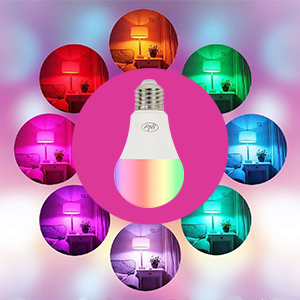
Dimmable and multicolorChoose the right color for your mood or the time of day. Choose from the RGB+white color range; you have 16 million colors at your disposal to create a unique and relaxing atmosphere in your home. Or choose a predefined scene: soft, leisure, work, read, etc. |
|
| ProgrammableAutomate your home's lights on a schedule. Schedule your lights to come on when you wake up in the morning and turn off when you go to bed at night. Choose a gentle sunrise light to wake you up and a warm, dim light to relax you before bed. |

| Characteristics |
|
||||||||||||||||||||||||||||||||||||
|---|---|---|---|---|---|---|---|---|---|---|---|---|---|---|---|---|---|---|---|---|---|---|---|---|---|---|---|---|---|---|---|---|---|---|---|---|---|