
PNI SafeHouse HS008 Wireless Outdoor Siren with Motion and Solar Charge Sensor, Remote Control, 120dB, 3 Operating Modes, Internet Control with Tuya Smart App

|
|
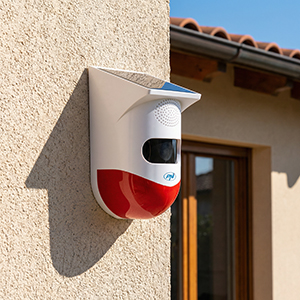
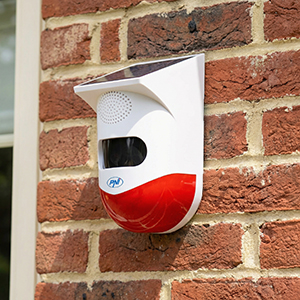
OverviewPNI SafeHouse HS008 is a wireless outdoor siren for security systems, designed for outdoor mounting and compatible with the Tuya Smart mobile app for internet control and monitoring. The device is equipped with an integrated solar panel that ensures that the internal battery is charged without the need for a constant power supply. |
Motion sensor and alarm modesThe siren incorporates a PIR motion sensor with a detection angle of approximately 110° and a range of 9-12 meters, capable of detecting movements in the monitored area and triggering the alarm. Upon detection, the unit can activate both audible and light alarms, depending on the selected operating modes. Several modes are available: all-day audible and light alarm, silent light alarm, night mode with or without sound, all configurable via the button on the rear panel. |
|
|
|
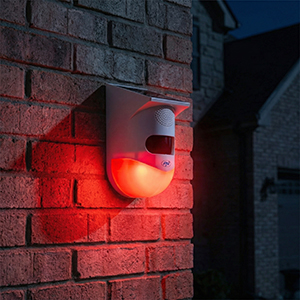
Audible and light alarmThe device provides a sound intensity level of up to 120 dB. Along with the siren, the system integrates a set of bright LEDs that provide a strobe effect at the time of triggering the alarm, increasing the visibility of the warning signal. This combination of visual and audible warning is suitable for deterring intrusions or other undesirable situations in the protected perimeter. |
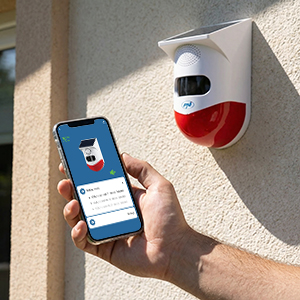
Connectivity and operationThe PNI SafeHouse HS008 can connect to the 2.4GHz Wi-Fi network for integration with the Tuya Smart app, allowing you to configure, control, and manage alarm notifications. The included remote control allows local setting of alarm modes. The battery can also be charged via the micro-USB port for situations where sunlight is not enough. |
|
| Characteristics |
|
||||||||||||||||||||||||||||||||||
|---|---|---|---|---|---|---|---|---|---|---|---|---|---|---|---|---|---|---|---|---|---|---|---|---|---|---|---|---|---|---|---|---|---|---|---|