
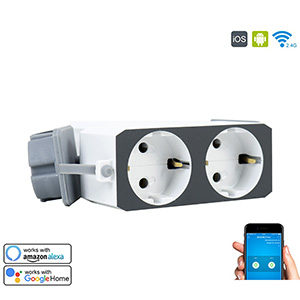
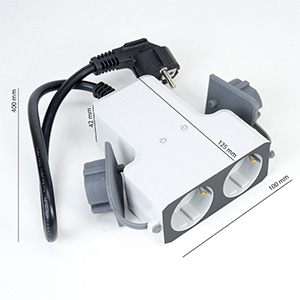
PNI SafeHome PT840S dual outdoor smart socket WiFi internet control, Tuya Smart mobile application, integration in scenarios and smart automation with other compatible products Tuya, Alexa and Google

|
|
Perfect for any applicationThe PNI SafeHome PT840S Dual Outdoor Smart Plug can connect to a 2.4GHz wireless network using the Tuya Smart app. It can also be integrated into smart scenarios and automations with other products that use the Tuya app and is compatible with Amazon Alexa and Google Home smart speakers. |
Scheduling functionWith the help of the Tuya Smart app, the PNI SafeHome PT840S dual outdoor smart socket can be programmed to turn on the power on either of the two Schuko outputs at a set time. It can also be set to turn off the power after a certain set time or time. With the help of the internet, you can always access the smart plug to turn the power off or on. |
|
|
|
Can also be used outdoorsThe PNI SafeHome PT840S double smart socket can also be used outdoors in Christmas installations, washing pumps, cars or irrigation systems thanks to the IP40 protection indicator. |

| Characteristics |
|
||||||||||||||||||||||||||||||||||||||||||||
|---|---|---|---|---|---|---|---|---|---|---|---|---|---|---|---|---|---|---|---|---|---|---|---|---|---|---|---|---|---|---|---|---|---|---|---|---|---|---|---|---|---|---|---|---|---|