
PNI SafeHome DIM101 1X700W Simple Touch Switch & Dimmer, Live Wire, No Null, Dimmable Glass

|
|
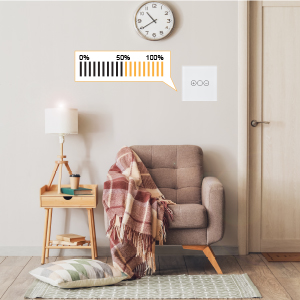
Touch switch and dimmerThe PNI SafeHome DIM101 touch switch and dimmer is an innovative, elegant and modern device that combines the classic functionality of a switch (On/Off) with the control of light intensity (dimmer). |
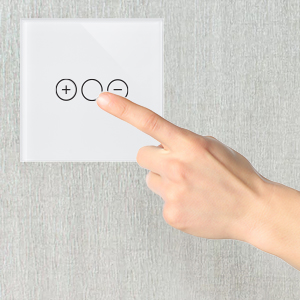
Touch-sensitive on/off buttonOne of the standout aspects of this switch is its modern, minimalist and elegant design, which blends in perfectly with any décor. The switch features a touch-sensitive panel, which allows lighting to be controlled by simply touching its surface. |
|
|
|
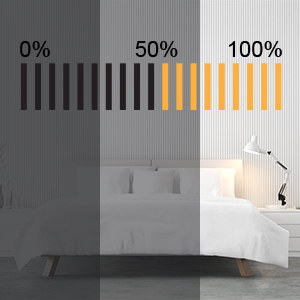
DimmingThe dimming function is another important aspect of this switch. With this feature, the user can adjust the intensity of the light so as to create the right atmosphere for any moment or need, from a bright light for precision activities to a softer light for a relaxing atmosphere. |
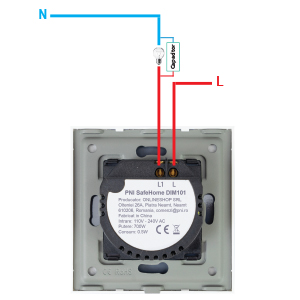
No Null Cable RequiredThe SafeHome DIM101 PNI Touch & Dimmer Switch works on advanced technology that leverages the Live Power Cable (Phase) to provide the power needed for operation. Thus, there is no longer any need for an additional null (Neutral) wire, thus reducing the time, costs and effort associated with installing a conventional system. |
|
| Characteristics |
|
||||||||||||||||||||||||||||||||||||
|---|---|---|---|---|---|---|---|---|---|---|---|---|---|---|---|---|---|---|---|---|---|---|---|---|---|---|---|---|---|---|---|---|---|---|---|---|---|