
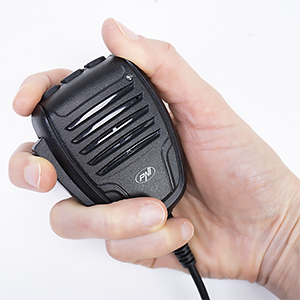
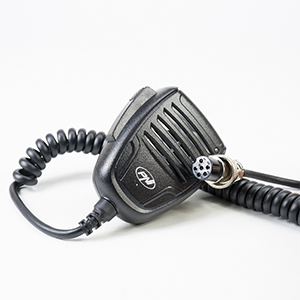
PNI VX6000 microphone with VOX function, with 6 pins, for CB radio stations

|
|
Microphone with VOX functionThe VOX function allows the CB user to emit automatically without pressing the PTT (Push-to-Talk) key. The emission is activated when the sound (voice) exceeds a certain level. To avoid accidental emission, the PNI VX6000 microphone has two modes to adjust the VOX function: 1. VOX sensitivity adjustment function. 4 levels of sensitivity are available. We recommend setting the microphone to sensitivity level 1 (the least sensitive) to avoid unintentionally enabling the output for background sounds or side conversations. 2. Emission delay adjustment function (VOX delay). This function sets the time between when you started talking and when the broadcast is activated. 4 levels are available. The shortest time is on level 1. |
6-pin connectorThe PNI VX6000 microphone has a 6-pin jack and is compatible with CB President, Midland, Albrecht radio stations with 12V power supply on PIN 6. Active Background Noise Reduction helps generate clear, powerful sound. |
|
Video presentation |
|
PNI VX6000 microphone with VOX function, with 6 pins, for CB Radio UK |
| Characteristics |
|
||||||||||||||||||||||||||||||||||||||
|---|---|---|---|---|---|---|---|---|---|---|---|---|---|---|---|---|---|---|---|---|---|---|---|---|---|---|---|---|---|---|---|---|---|---|---|---|---|---|---|